What problems does the new React 18 SSR architecture solve?
On June 8, React published The Plan for React 18. It introduced automatic batching, startTransition, and the new Suspense SSR architecture.
This article covers the main ideas of the new server rendering architecture. I also share my thoughts at the end.
What were the limits of the previous SSR architecture?
The previous SSR workflow followed these steps:
- Fetch all data required by the application on the server.
- Render the application as static HTML on the server and send the response.
- Load all application JavaScript on the client.
- Connect the JavaScript logic to the server HTML on the client. React calls this step hydration.
This uninterrupted sequence creates several problems.
All data must arrive before any HTML can render
The previous SSR model does not let components wait for data independently. A slow database query or API delays the entire HTML response.
All code must load before any element can hydrate
After loading the JavaScript, React hydrates the HTML to make it interactive.
React walks the HTML tree and attaches event handlers. The client tree must match the server HTML, so every component needs its JavaScript before hydration can start.
Every element must hydrate before the interface becomes interactive
Hydration is also uninterrupted in this model. The interface cannot respond until React finishes hydrating the entire tree.
React 18 introduces streaming HTML and selective hydration
The sequence of fetching data, rendering HTML, loading code, and hydrating creates a waterfall. React 18 splits that application-wide waterfall into separate component workflows.
The existing <Suspense> API provides the boundary for this work.
Stream HTML before all data arrives
In the previous model, rendering and hydration are effectively all-or-nothing operations. First, render the HTML:
<main>
  <nav>
    <!--NavBar -->
    <a href="/">Home</a>
  </nav>
  <aside>
    <!-- Sidebar -->
    <a href="/profile">Profile</a>
  </aside>
  <article>
    <!-- Post -->
    <p>Hello world</p>
  </article>
  <section>
    <!-- Comments -->
    <p>First comment</p>
    <p>Second comment</p>
  </section>
</main>
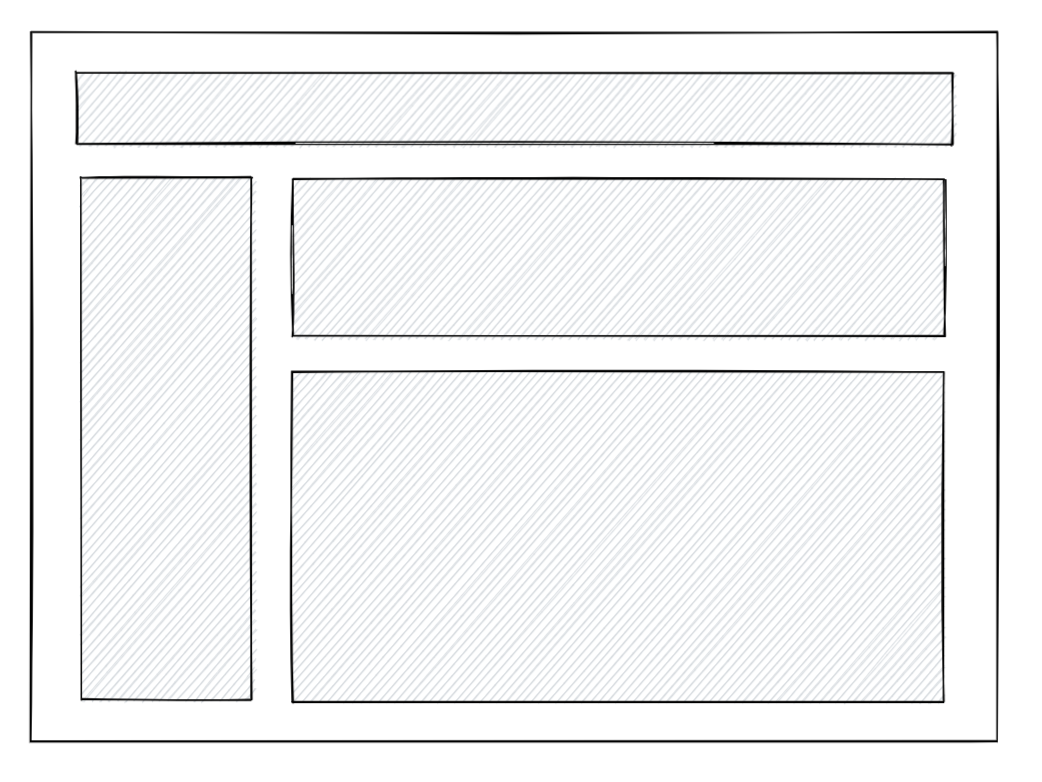
The client receives static HTML. Gray areas in the illustration are not interactive:
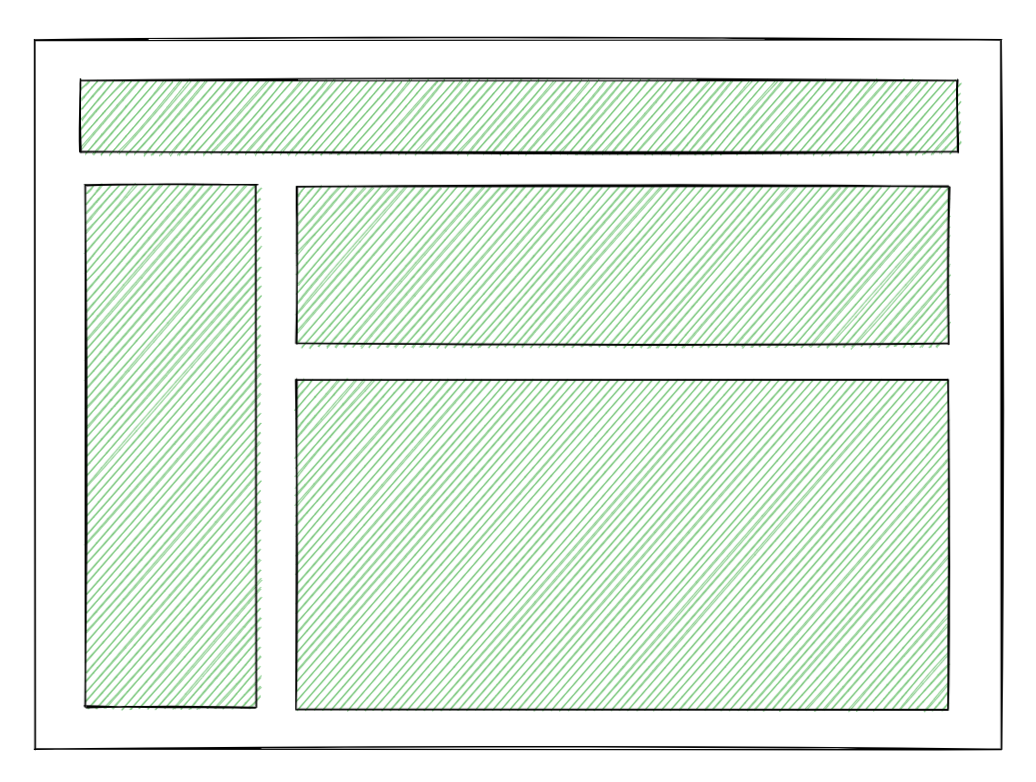
Then all code loads and hydration runs. Green areas are interactive:
In React 18, wrap a component in <Suspense> when it should wait independently.
For example, wrap <Comments> and show <Spinner /> until the comments are ready:
<Layout>
  <NavBar />
  <Sidebar />
  <RightPane>
    <Post />
    <Suspense fallback={<Spinner />}>
      <Comments />
    </Suspense>
  </RightPane>
</Layout>
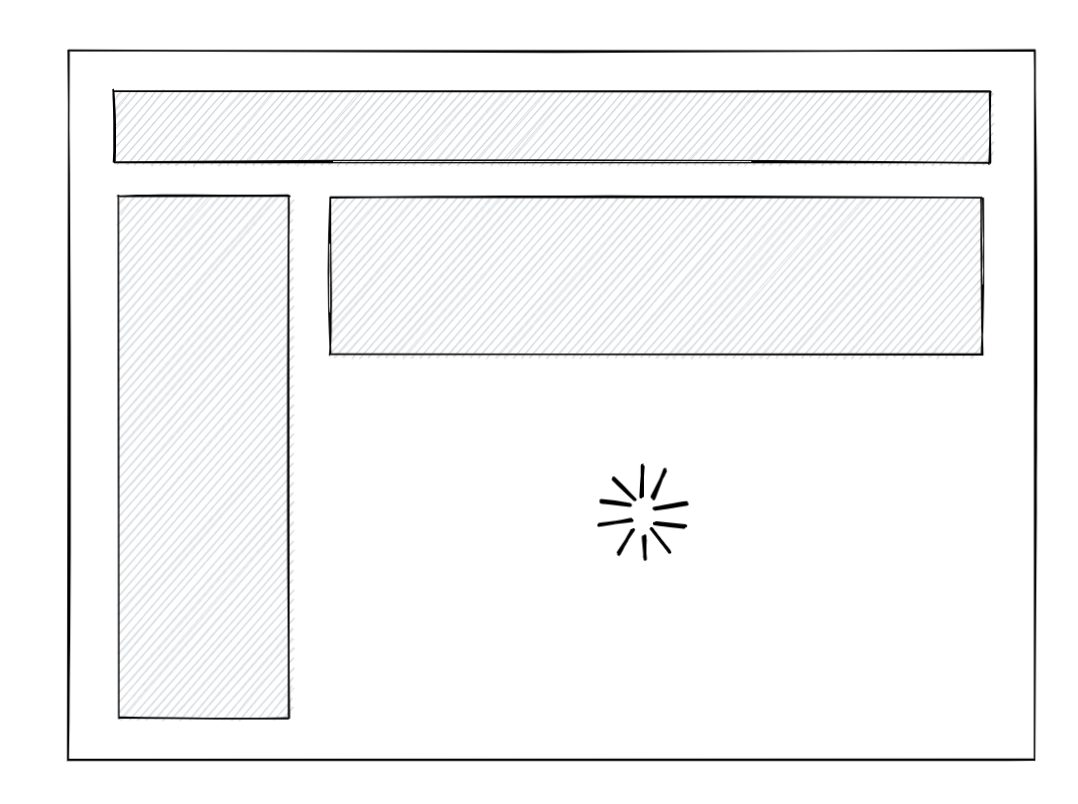
React can start streaming HTML without waiting for <Comments>. The boundary displays its fallback placeholder until that content is ready.
The resulting SSR HTML looks like this:
<main>
  <nav>
    <!--NavBar -->
    <a href="/">Home</a>
  </nav>
  <aside>
    <!-- Sidebar -->
    <a href="/profile">Profile</a>
  </aside>
  <article>
    <!-- Post -->
    <p>Hello world</p>
  </article>
  <section id="comments-spinner">
    <!-- Spinner -->
    <img width="400" src="spinner.gif" alt="Loading..." />
  </section>
</main>
When <Comments> becomes ready on the server, React sends more HTML through the same stream. A small inline script inserts it in the correct location:
<div hidden id="comments">
  <!-- Comments -->
  <p>First comment</p>
  <p>Second comment</p>
</div>
<script>
  // Simplified implementation
  document.getElementById('sections-spinner').replaceChildren(document.getElementById('comments'));
</script>
The comments can appear in the correct location even before React loads on the client:
This solves the first problem. The server no longer needs every data request to finish before rendering any HTML.
Unlike sequential HTML streaming, this approach supports content arriving out of order. You can also wrap <Sidebar> in <Suspense>. React sends the script needed to insert each section in its correct location.
Start hydration before all code loads
We can now send HTML earlier, but loading the JavaScript for <Comments> could still delay hydration. A large bundle makes that delay worse.
Use code splitting to load some code separately:
import { lazy } from 'React';

const Comments = lazy(() => import('./Comments.js'));

// ...

<Suspense fallback={<Spinner />}>
  <Comments />
</Suspense>;
This previously did not work with SSR. React 18 allows hydration to start before the <Comments> code loads.
The user first receives HTML that is not interactive:
React then hydrates the available sections, even though the comments code has not loaded:
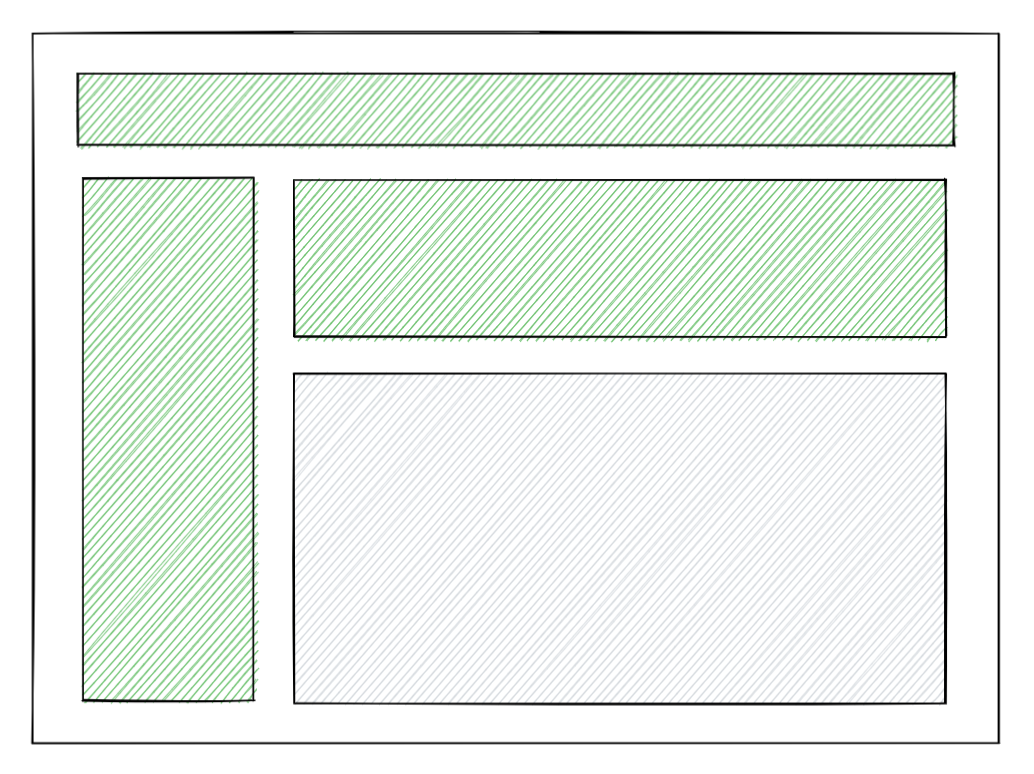
This is selective hydration. Wrapping <Comments> in <Suspense> prevents it from blocking both streaming and hydration. We no longer need all code to load before hydration starts.
React finishes the remaining hydration after the comments code loads:
Hydrate before the entire HTML stream finishes
React manages the timing automatically. For example, some HTML may still be streaming:
If the JavaScript arrives first, React starts hydration without waiting for the remaining HTML:
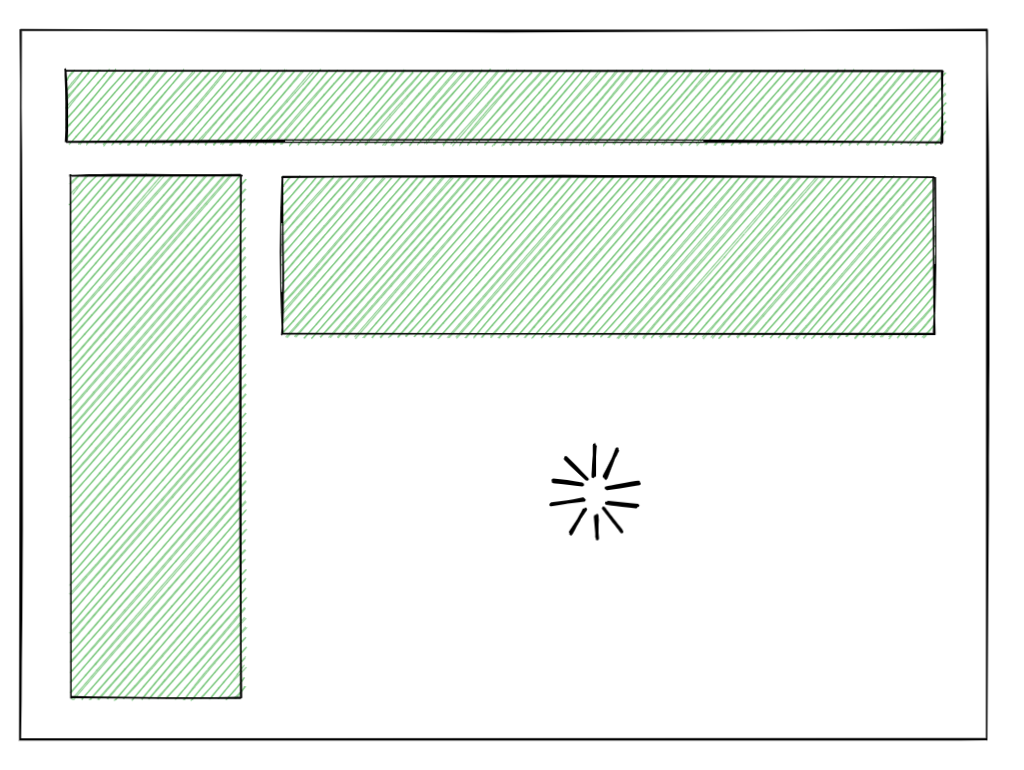
The <Comments> HTML can arrive separately. It still needs its JavaScript before it becomes interactive:
Once the comments JavaScript loads, the entire page becomes interactive:
Interact before all components finish hydration
Wrapping <Comments> in <Suspense> provides another benefit. Hydration no longer blocks other browser work continuously.
For example, the user can click the sidebar while comments hydrate:
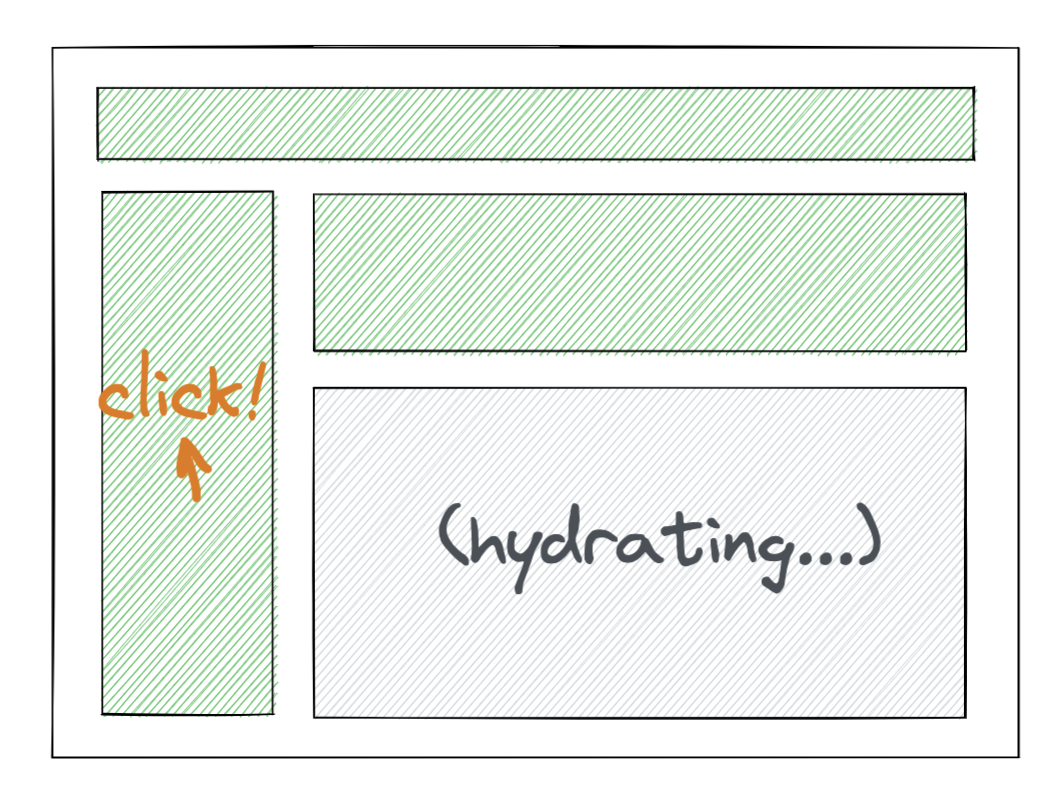
In React 18, hydration inside <Suspense> yields so the browser can process events. Clicks can receive a prompt response, even on slower devices.
Our example has only one Suspense boundary, so the remaining hydration still forms one block. Add more boundaries to divide the work further:
<Layout>
  <NavBar />
  <Suspense fallback={<Spinner />}>
    <Sidebar />
  </Suspense>
  <RightPane>
    <Post />
    <Suspense fallback={<Spinner />}>
      <Comments />
    </Suspense>
  </RightPane>
</Layout>
Now <NavBar> and <Post> arrive in the initial HTML, while the other sections stream separately. This also changes hydration. Assume the code for both Suspense boundaries is still loading:
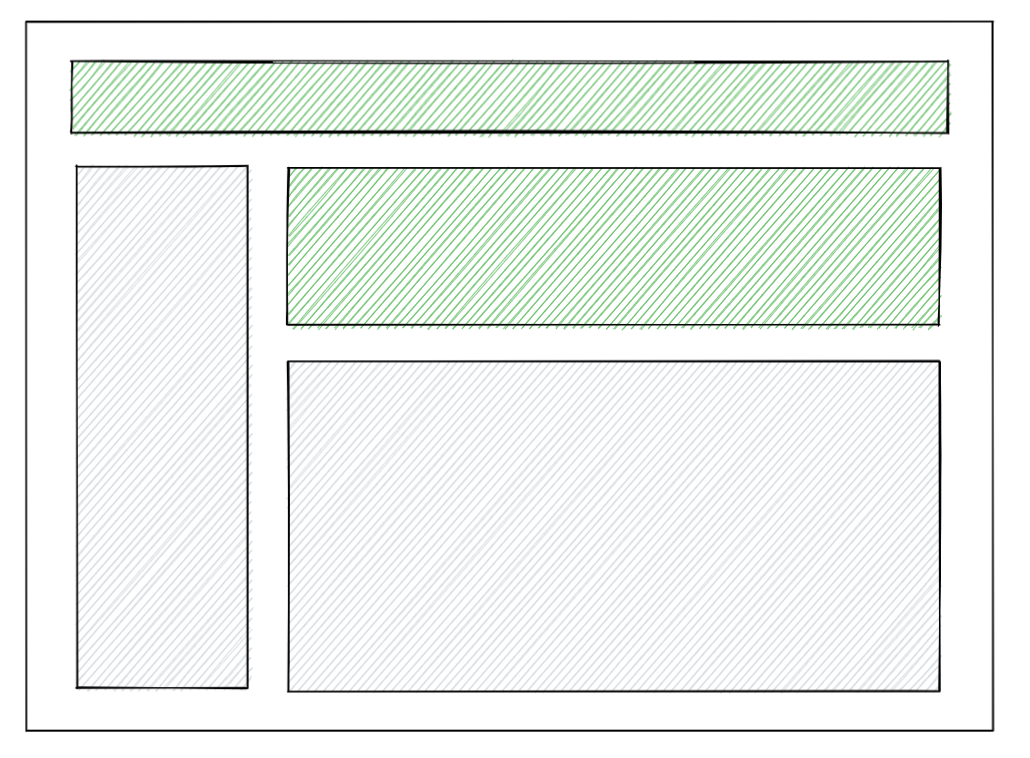
When both code bundles arrive, React starts with <Sidebar> because it appears earlier in the tree:
Now suppose the user clicks <Comments> after its JavaScript has loaded:
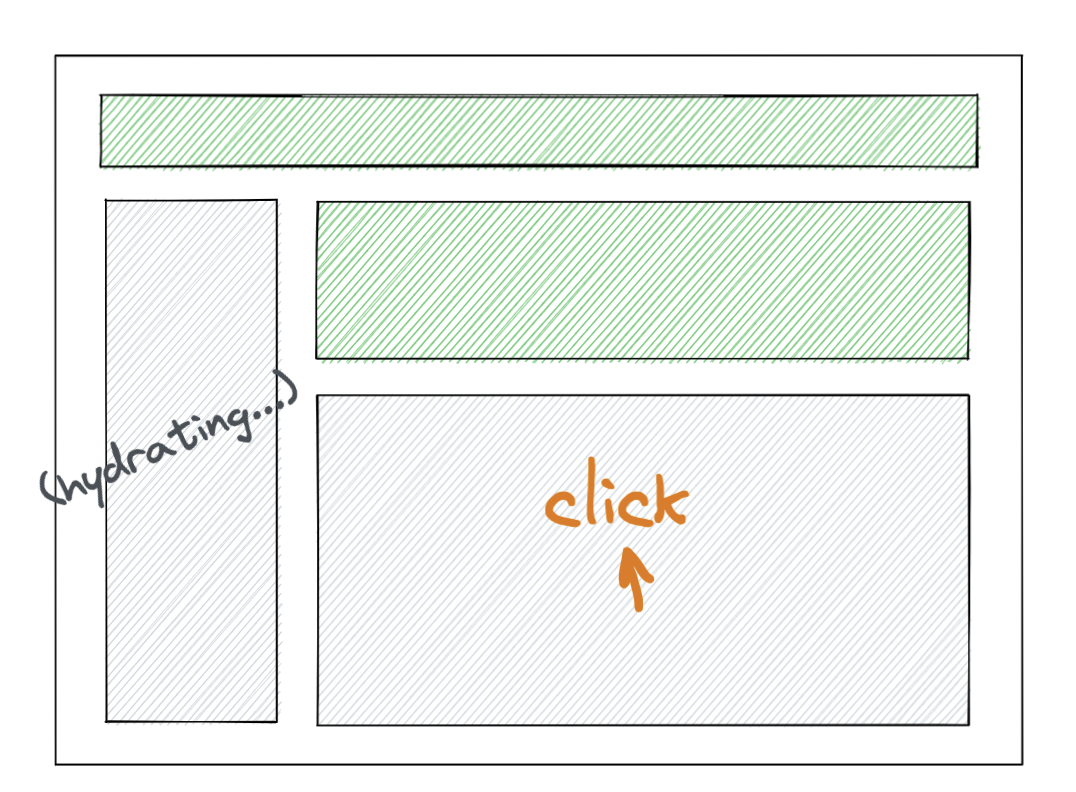
React records the event and prioritizes hydration of <Comments>:
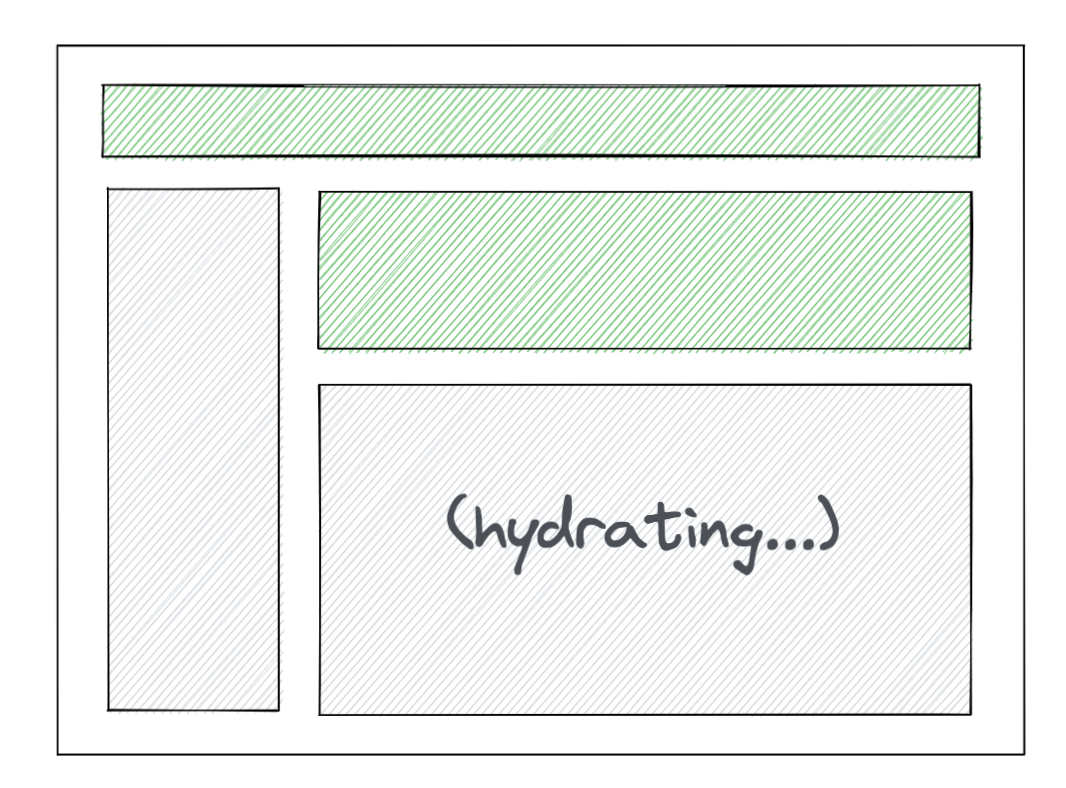
After comments hydrate, React replays the recorded click. It then returns to hydrating <Sidebar>:
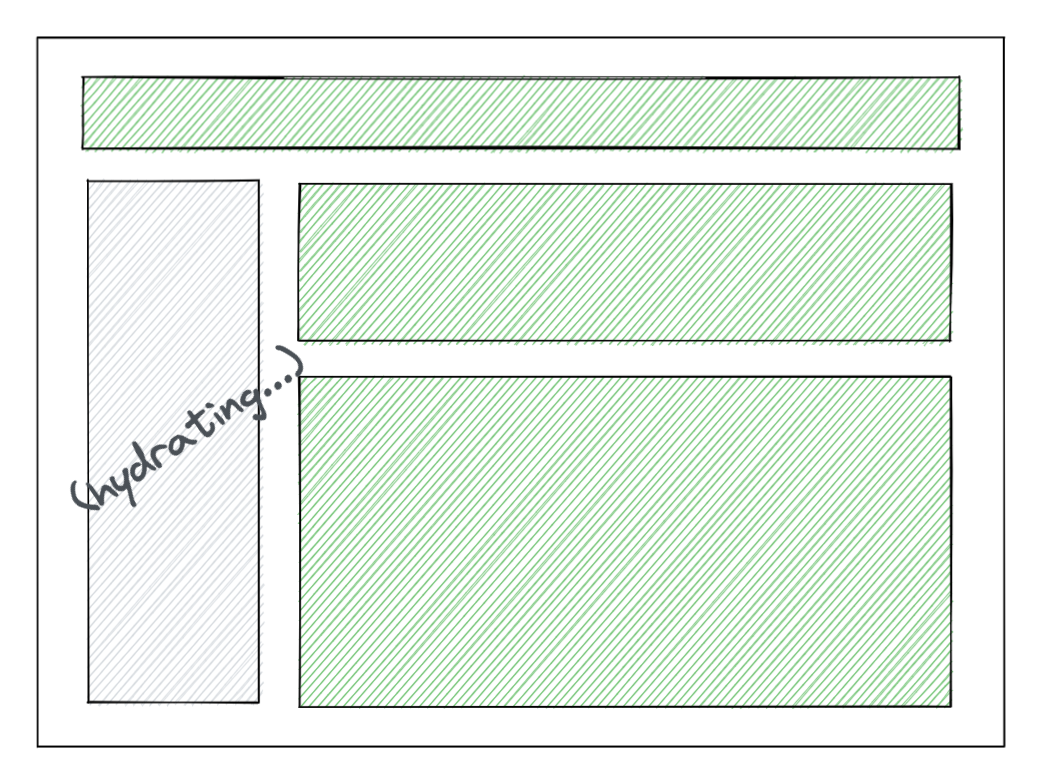
This solves the third problem: interaction no longer waits for every component. React hydrates early and prioritizes the sections the user touches. The benefit becomes clearer with more Suspense boundaries:

Here, the user clicks the first comment during hydration. React hydrates its parent Suspense boundaries first and skips unrelated siblings. Prioritizing the path to the clicked element can make hydration feel immediate.
In practice, you might also place a Suspense boundary near the root:
<Layout>
  <NavBar />
  <Suspense fallback={<BigSpinner />}>
    <Suspense fallback={<SidebarGlimmer />}>
      <Sidebar />
    </Suspense>
    <RightPane>
      <Post />
      <Suspense fallback={<CommentsGlimmer />}>
        <Comments />
      </Suspense>
    </RightPane>
  </Suspense>
</Layout>
Only the navigation appears in the initial HTML. The remaining sections stream and hydrate separately, with user interactions determining priority.
Final thoughts
React 18 changes the SSR architecture and replaces the earlier all-or-nothing Concurrent Mode model. Concurrent rendering lets developers adopt individual features gradually. This approach should make upgrades easier.
SSR discussions often focus on SEO, but these changes also target user experience. Suspended sections may be absent from the first HTML response, which raises questions about search crawlers.
Dan addressed the SEO question in the discussion. Using onCompleteAll instead of onReadyToStream for crawlers preserves the previous SSR behavior. Waiting for all content can slow the response and affect ranking. Sebastian also described further SEO adjustments and tradeoffs.
Google planned to include Web Vitals in search ranking from mid-June 2021. Developers must balance response speed with complete content. That balance will shape how SSR and SEO evolve.