Why we moved from styled-components to Linaria
This article also appeared on Medium.

styled-components became a popular CSS-in-JS library by letting developers write CSS syntax inside JavaScript. It led usage in the State of CSS surveys from 2019 through 2021.
We also used styled-components throughout Dcard frontend projects. Our codebase contained nearly 6,000 styled components.
As usage grew, we discovered costs behind that convenience. Performance and Web Vitals made those costs difficult to accept. This article shares the research and discussions behind our search for an alternative.
This article condenses my August 4 React.js meetup talk. You can also watch the recording.
Limitations of styled-components
Runtime Overhead
Runtime overhead was the main reason we decided to migrate. Each styled component needs these steps:
- Parse CSS in the tagged template.
- Generate a class name.
- Process CSS with Stylis.
- Create a
<style>element and insert it into<head>.
React profiling showed 9,009 components on a Dcard post page, with a total render duration of 1,242.2ms. Of those, 1,348 styled components took 133.3ms, or about 10.7%. Post pages are particularly important for our SEO.
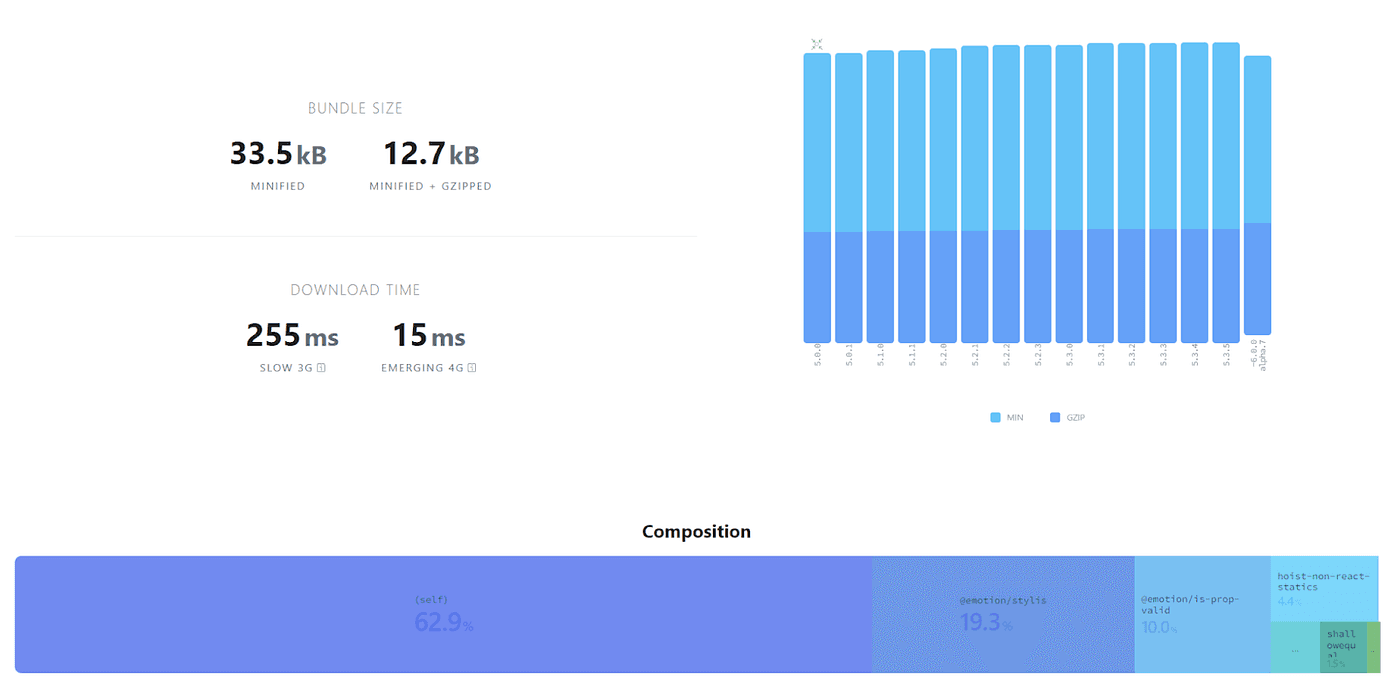
Increase Bundle Size
Runtime template processing requires parsers and transformation code. Shipping those dependencies increases the JavaScript bundle size.
Performance issue
Dynamic props can also create performance traps. With rapidly changing values, such as react-spring animation values, the following pattern repeatedly runs all four processing steps:
const AnimatedDiv = styled.div`
  transform: translateY(${(props) => props.y});
`;
SSR Hydration
SSR requires a Babel plugin to generate stable component identifiers at build time. Each request also traverses the application tree to generate style tags. This extra server work can increase time to first byte.
Streaming Rendering
React 18 supports streaming rendering, but styled-components did not support it at the time of writing. Runtime styling libraries need extra integration for this architecture. That limited our use of React 18 features.
native ESM
Native ESM migration was another goal that year. The styled-components entry point did not expose its default export correctly for our setup. We needed a patch to work around it.
Zero Runtime CSS-in-JS
Runtime overhead was our largest problem, so we investigated zero-runtime CSS-in-JS. What does that term mean?
"Zero-runtime" meaning you author your styles in a CSS-in-JS syntax, but what is produced is .css files like any other CSS preprocessor would produce. CSS-Tricks
You write styles with CSS-in-JS syntax, and a compiler produces static CSS files.
Why Zero Runtime?
This approach offers several benefits:
- Concurrent rendering: static CSS avoids runtime style-tag generation and related SSR hydration work.
- Disabled JavaScript: styles remain available when JavaScript is disabled.
- Less JavaScript: removing runtime work can improve performance metrics.
We found comparisons of runtime and zero-runtime approaches during our research. The zero-runtime approaches performed better on almost every measured metric:
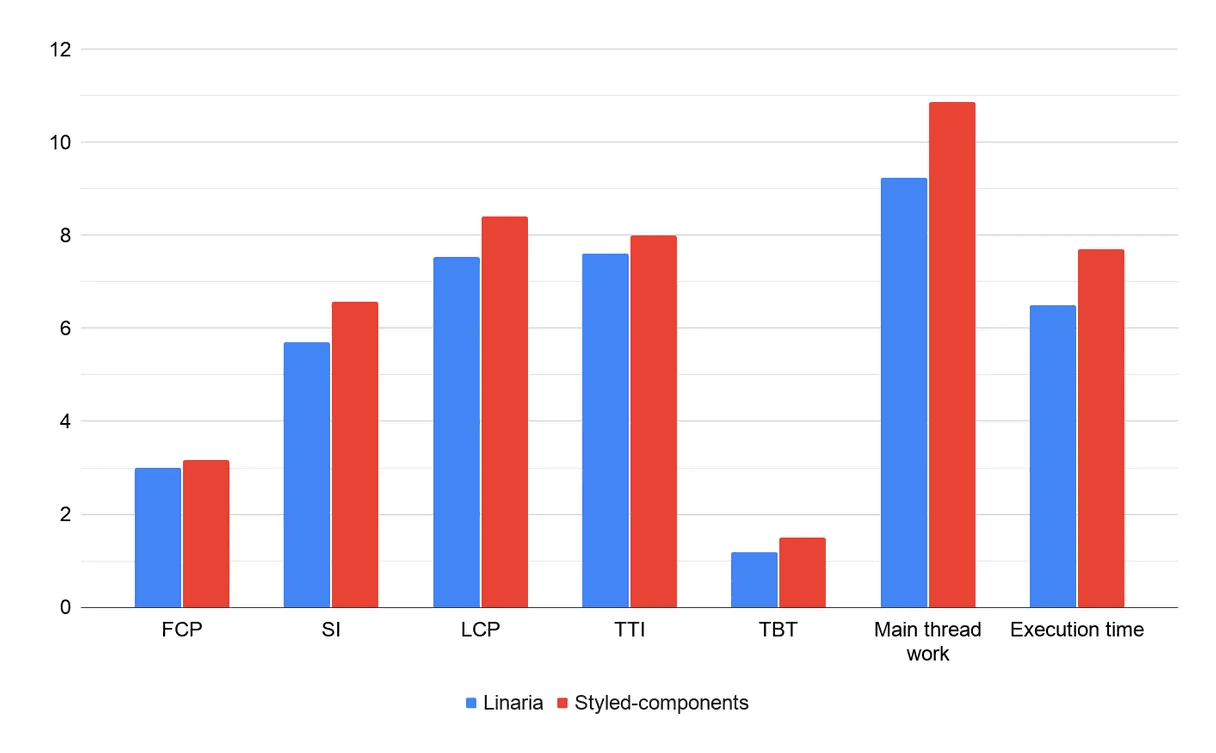
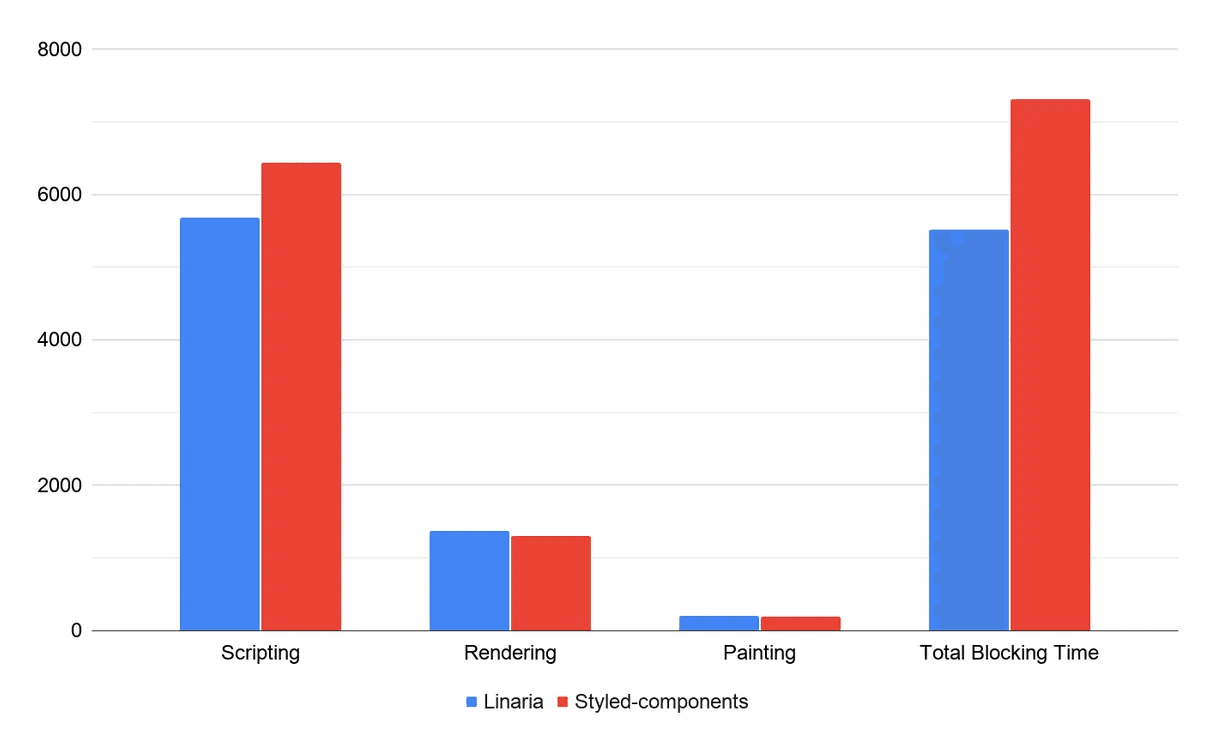
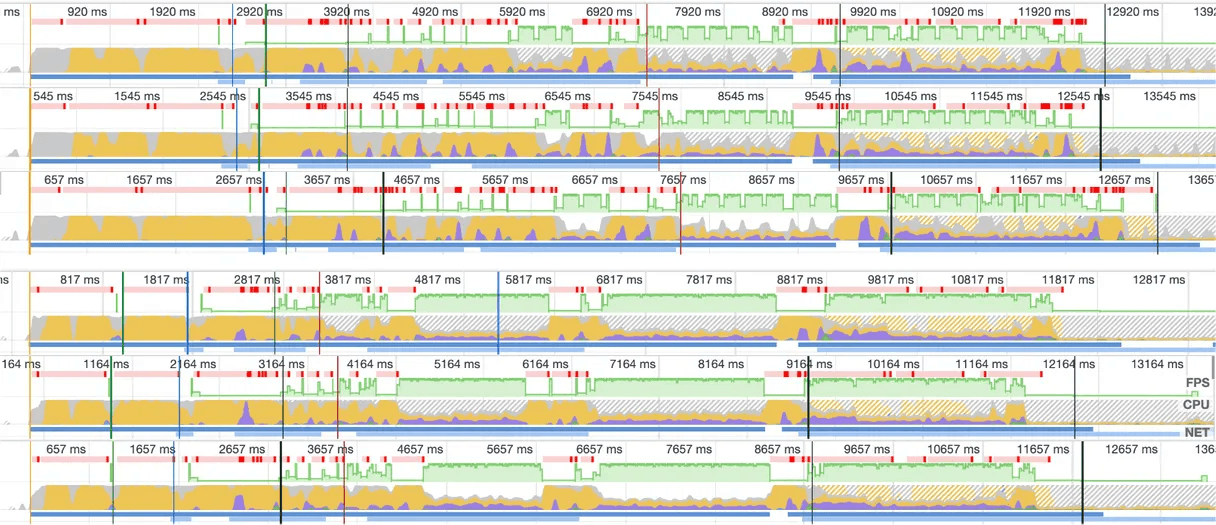
React core developer Dan Abramov also discussed this approach in a Q&A:
"for dynamic stuff just use inline styles. For things that don't change use something that compiles to CSS so that it doesn't have extra runtime costs."
- Dan Abramov
These findings made zero-runtime CSS-in-JS a promising direction for us.
Alternatives
After identifying the performance bottleneck, we defined our requirements for a replacement:
- Prioritize Core Web Vitals and SEO.
- Support a codebase with nearly 6,000 styled components.
- Allow gradual migration and coexistence.
- Support atomic CSS.
- Support TypeScript.
- Integrate with our bundler and compiler.
- Have a healthy community.
We compared several approaches and organized the findings in a table.
Our first choice was Facebook StyleX. A beta had been expected by late 2021, but it had not arrived when we evaluated it. We therefore considered other options.
We chose Linaria largely because its syntax closely matches styled-components. It also supports atomic CSS. Airbnb had recently migrated to Linaria, which gave us more confidence.
linaria — Zero-runtime CSS in JS library.
styled
import { styled } from '@linaria/atomic';

const Title = styled.h1`
  font-size: 24px;
  font-weight: bold;
`;

function Heading() {
  return <Title>This is a title</Title>;
}
The example looks much like styled-components. The difference is that Linaria analyzes it at build time and generates CSS files:
// extract.css
.title {
  font-size: 24px;
  font-weight: bold;
}

// component.js
function Title(props) {
  return <h1 {...props} className="title" />;
}

function Heading() {
  return <Title>This is a title</Title>;
}
dynamic style
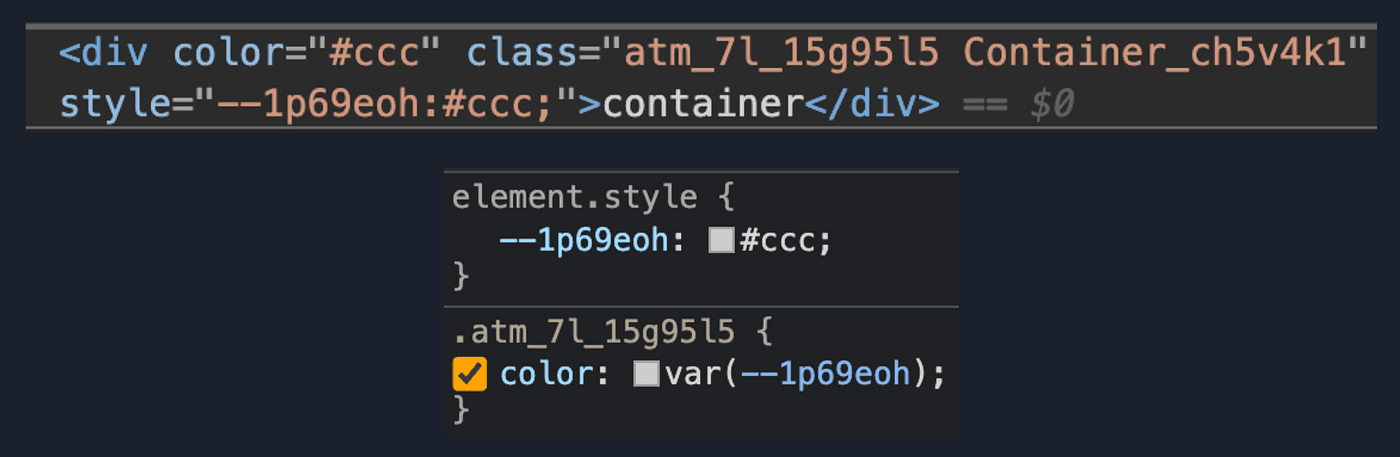
Linaria also supports prop-based dynamic styles. It implements them with CSS variables:
// source
const Container = styled.div`
  color: ${props => props.color};
`;

// extract.css
.Container_c1ugh8t9 {
  color: var(--c1ugh8t9-0);
}

// component.js
const Container = styled('div')({
  name: 'Container',
  className: 'Container_c1ugh8t9',
  vars: {
    'c1ugh8t9-0': [props => props.color],
  },
});
Browser DevTools shows the resulting variables:
Interpolations
To remove runtime overhead, Linaria evaluates interpolations during the build. A JavaScript runtime evaluates values and functions without side effects, then inserts the results back into the source:
// theme.ts
export const theme = {
  colors: {
    primary: '#000',
  },
};

// before evaluate
const Title = styled.h1`
  color: ${theme.colors.primary};
`;

// after evaluate
const Title = styled.h1`
  color: #000;
`;
It also supports object interpolations as an alternative to the styled-components css helper.
Atomic CSS
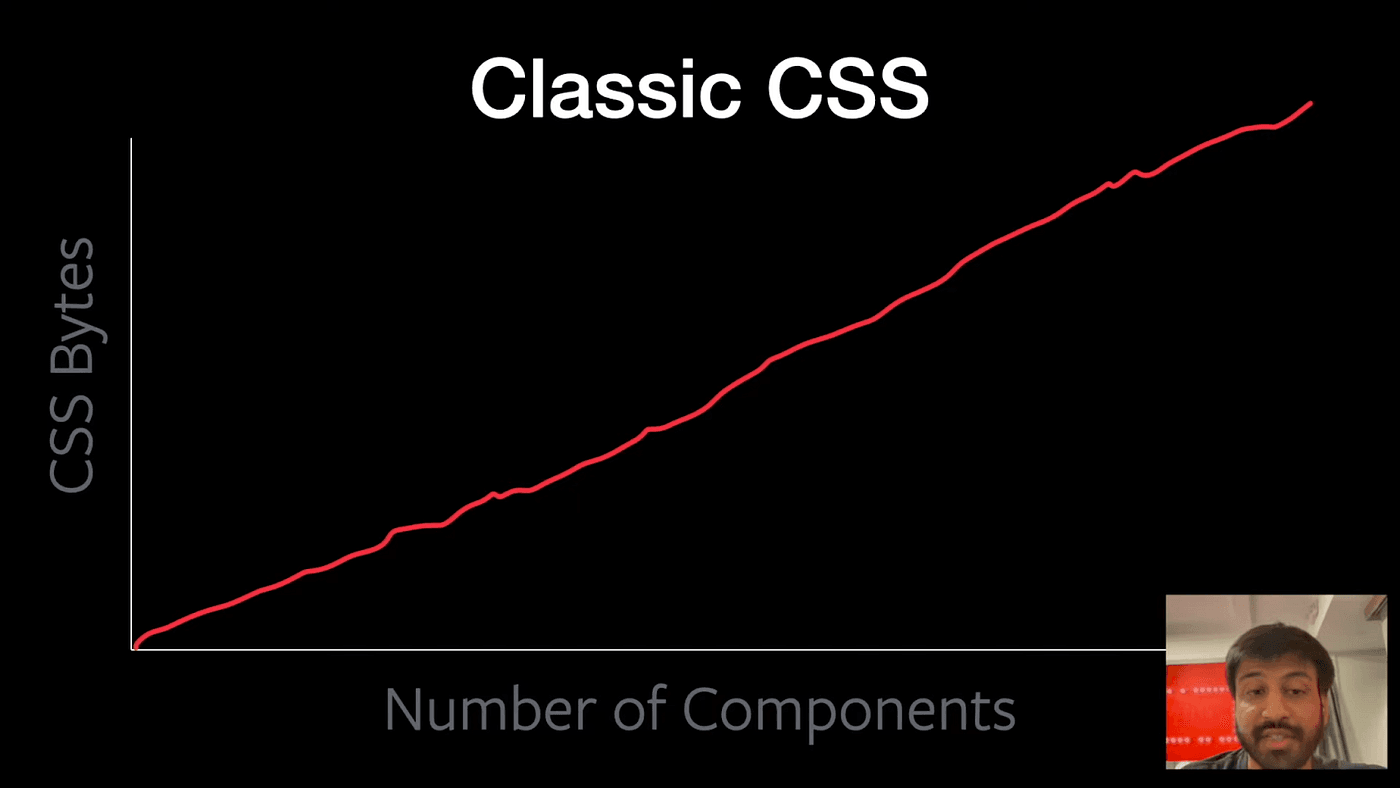
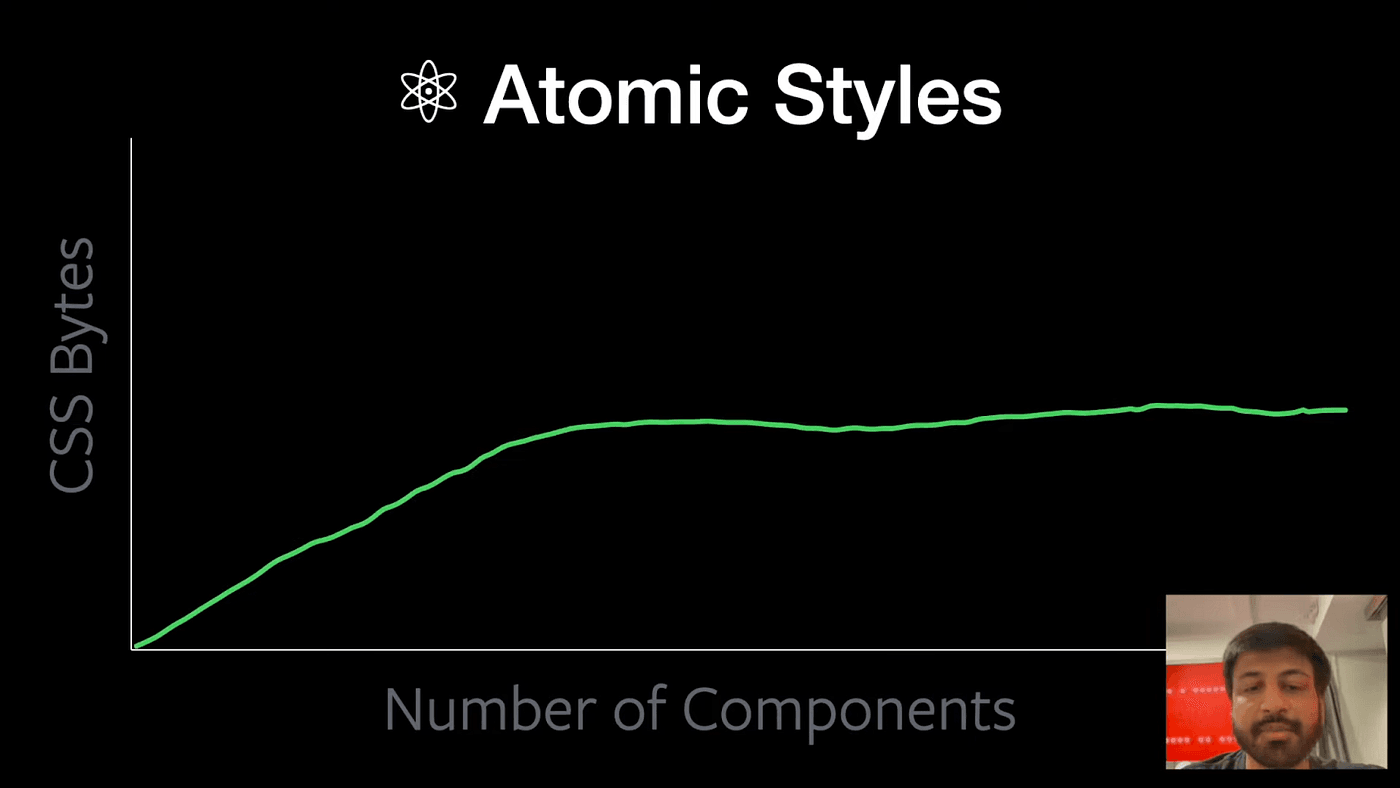
Generating static CSS removes runtime work, but CSS size can grow with the number of components. Atomic CSS helps by reusing class names across components.
// source
import { cx } from '@linaria/core';
import { css } from '@linaria/atomic';

const atomicCss = css`
  background: red;
  width: 100%;
  height: 100%;
  border: 1px solid black;
`;

const blueBackground = css`
  background: blue;
  border: 1px solid black;
`;

<div className={cx(atomicCss, blueBackground)} />;

// extract.css
.atm_background_abcd { background: red; }
.atm_width_efgh { width: 100%; }
.atm_height_ijkl { height: 100%; }
.atm_background_qrst { background: blue; }
.atm_border_mnop { border: 1px solid black; }

// component.js
import { cx } from '@linaria/core';
import { css } from '@linaria/atomic';

const atomicCss =
  'atm_background_abcd atm_width_efgh atm_height_ijkl atm_border_mnop';

const blueBackground = 'atm_background_qrst atm_border_mnop';

// In React:
<div className={cx(atomicCss, blueBackground)} />
The example reuses atm_border_mnop. As the component count increases, more declarations can share class names:
Migration limits
- Dynamic themes require CSS variables. The styled-components
ThemeProviderpattern does not transfer directly. - The css function only supports static styles. Its result cannot be composed inside
styledin the same way as styled-components. - There is no
styled.x.attrsAPI. Create a wrapper component instead. - Interpolation has limits. Imports handled by a bundler can fail during evaluation. A callback can defer the value and skip build evaluation. See How it works.
- Build-time evaluation can slow development because the build must run a JavaScript evaluator.
Benchmark
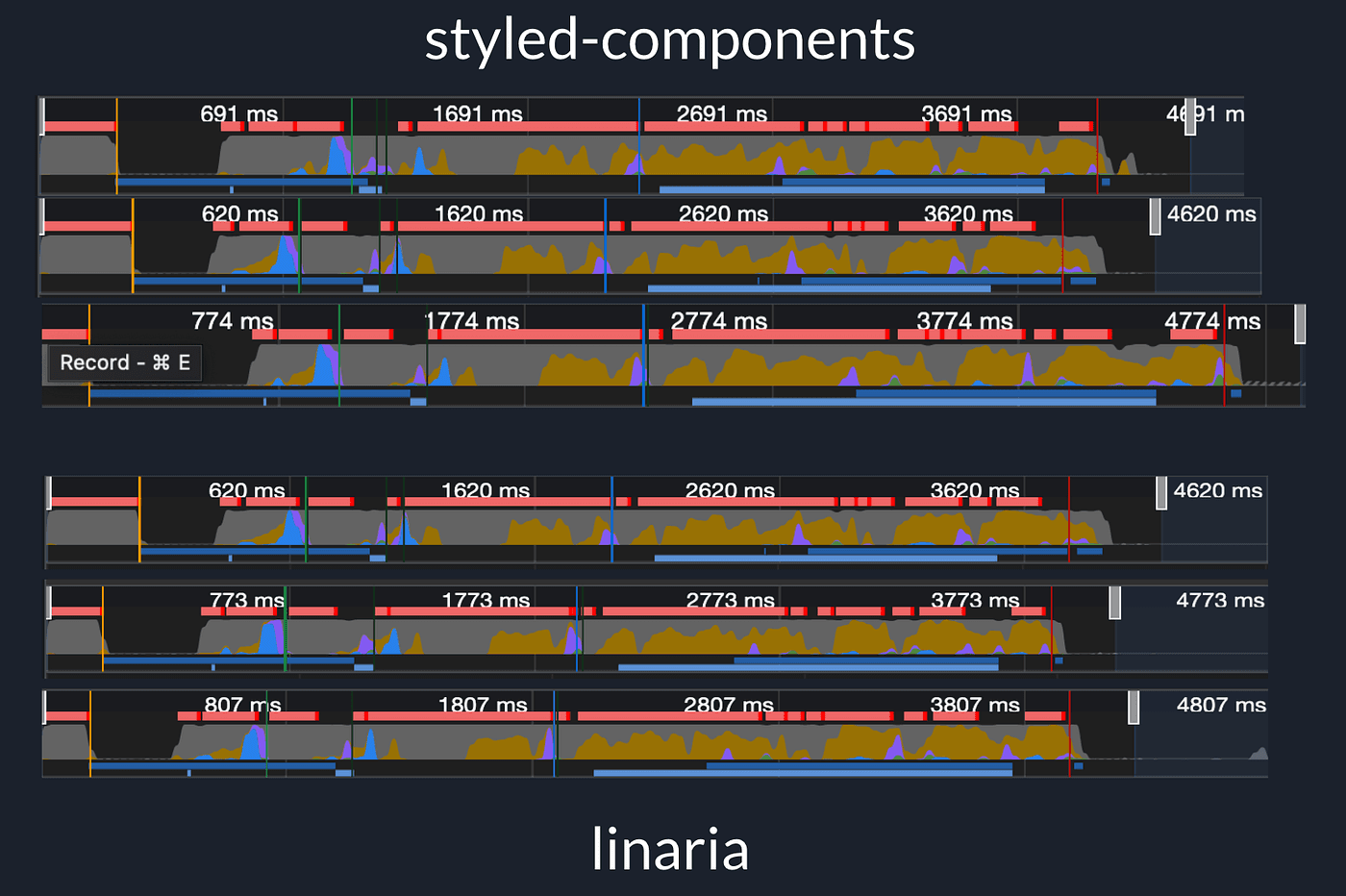
We benchmarked the migration in a smaller internal system. Several metrics improved:
Conclusion
- Avoid runtime CSS-in-JS when its performance cost affects Core Web Vitals and SEO.
- Consider Linaria when migrating from styled-components. Its similar syntax can reduce migration effort.
- Combine zero-runtime styling with atomic CSS to reduce runtime work without excessive CSS growth.